



Email communication plays an important role in modern business growth. Whether you are sending order confirmations, account notifications, newsletters, promotional campaigns, or customer updates, having a reliable email delivery system is essential.
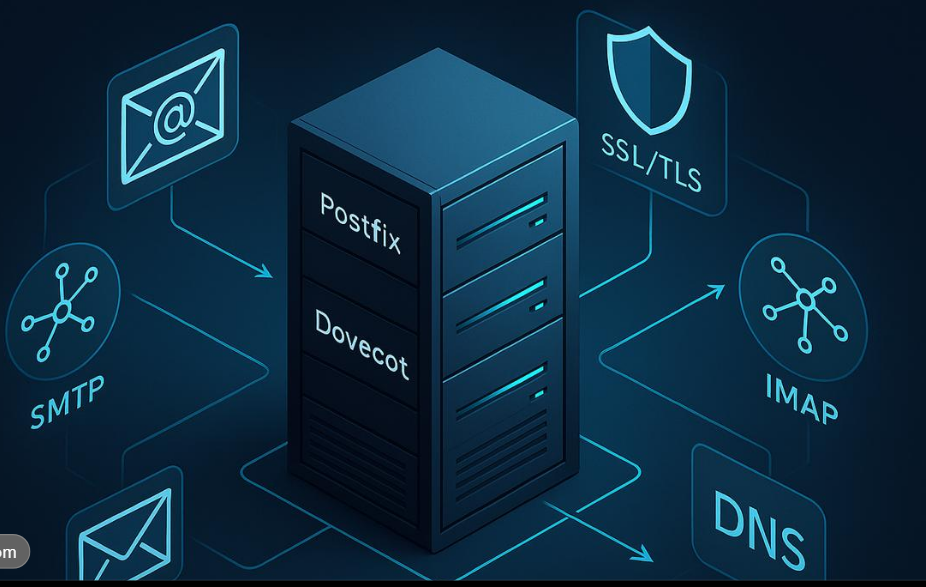
A dedicated SMTP server provides businesses with a powerful email-sending infrastructure designed to manage high-volume email traffic, support custom configurations, and improve control over email delivery.
But does SMTP integration have to be complicated or time-consuming? Not necessarily!
With the right SMTP service provider, you can connect your website, application, or email marketing software to an SMTP server in just five minutes.
In this guide, we will explain how to set up and integrate a dedicated SMTP server, its benefits, and how Dheera Group can help simplify your email-sending requirements.
What Is a Dedicated SMTP Server?
SMTP stands for Simple Mail Transfer Protocol. It is the standard protocol used to send emails from applications, websites, and email clients to receiving mail servers.
A dedicated SMTP server is an email-sending environment allocated to a particular business or customer. Depending on the service configuration, it can offer greater control over sending limits, authentication, IP reputation, and email infrastructure.
Businesses use dedicated SMTP servers for:
- Bulk and promotional email campaigns.
- Transactional emails and notifications.
- Website registration and password reset emails.
- Customer communication and newsletters.
- Automated email marketing workflows.
- Application-based email notifications.
Why Choose a Dedicated SMTP Server for Your Business?
Choosing the right email infrastructure can make a significant difference to your business communication.
1. Dedicated Email-Sending Infrastructure
Get an email server environment designed around your sending requirements, with suitable server resources and configuration.
2. Custom Services Available
Every business has different email requirements. Custom SMTP configurations and service options can help accommodate different workloads and applications.
3. Quick SMTP Integration
Connect your website, CRM, application, or email marketing platform using the SMTP credentials supplied by your service provider.
4. Cost-Effective Email Solutions
Choose an email infrastructure that matches your business requirements and sending volume instead of paying for unnecessary features.
5. Email API Integration
Integrate email-sending functionality into your applications using APIs, where supported, to automate notifications and customer communication.
How to Set Up and Integrate a Dedicated SMTP Server in 5 Minutes
Follow these five simple steps to connect your application to an SMTP server.
Here is an SEO-optimized, original blog for Dheera Group of Technologies, targeting businesses, developers, startups, agencies, and email marketers looking for quick SMTP server integration.
How to Set Up and Integrate a Dedicated SMTP Server in Just 5 Minutes
Introduction
Email communication plays an important role in modern business growth. Whether you are sending order confirmations, account notifications, newsletters, promotional campaigns, or customer updates, having a reliable email delivery system is essential.
A dedicated SMTP server provides businesses with a powerful email-sending infrastructure designed to manage high-volume email traffic, support custom configurations, and improve control over email delivery.
But does SMTP integration have to be complicated or time-consuming? Not necessarily!
With the right SMTP service provider, you can connect your website, application, or email marketing software to an SMTP server in just five minutes.
In this guide, we will explain how to set up and integrate a dedicated SMTP server, its benefits, and how Dheera Group can help simplify your email-sending requirements.
What Is a Dedicated SMTP Server?
SMTP stands for Simple Mail Transfer Protocol. It is the standard protocol used to send emails from applications, websites, and email clients to receiving mail servers.
A dedicated SMTP server is an email-sending environment allocated to a particular business or customer. Depending on the service configuration, it can offer greater control over sending limits, authentication, IP reputation, and email infrastructure.
Businesses use dedicated SMTP servers for:
- Bulk and promotional email campaigns.
- Transactional emails and notifications.
- Website registration and password reset emails.
- Customer communication and newsletters.
- Automated email marketing workflows.
- Application-based email notifications.
Why Choose a Dedicated SMTP Server for Your Business?
Choosing the right email infrastructure can make a significant difference to your business communication.
1. Dedicated Email-Sending Infrastructure
Get an email server environment designed around your sending requirements, with suitable server resources and configuration.
2. Custom Services Available
Every business has different email requirements. Custom SMTP configurations and service options can help accommodate different workloads and applications.
3. Quick SMTP Integration
Connect your website, CRM, application, or email marketing platform using the SMTP credentials supplied by your service provider.
4. Cost-Effective Email Solutions
Choose an email infrastructure that matches your business requirements and sending volume instead of paying for unnecessary features.
5. Email API Integration
Integrate email-sending functionality into your applications using APIs, where supported, to automate notifications and customer communication.
How to Set Up and Integrate a Dedicated SMTP Server in 5 Minutes
Follow these five simple steps to connect your application to an SMTP server.
Step 1: Choose Your SMTP Service Provider
Select a reliable SMTP provider that offers dedicated email infrastructure, custom configurations, authentication support, and technical assistance.
Before choosing, check:
- Server resources and sending limits.
- Dedicated IP availability, if required.
- Security and authentication options.
- Technical support and scalability.
Step 2: Get Your SMTP Configuration Details
Your provider will supply the necessary connection details.
Typical SMTP settings include:
| Setting | Example |
|---|---|
| SMTP Host | mail.yourdomain.com |
| Port | 587 or 465 |
| Username | Your SMTP username |
| Password | Your SMTP password |
| Security | STARTTLS or SSL/TLS |
| Authentication | Enabled |
Use the actual server hostname and credentials supplied by your provider.
Step 3: Configure Email Authentication
Proper email authentication helps receiving mail servers verify that your messages are authorized.
Configure:
- SPF: Identifies authorized sending servers.
- DKIM: Adds a cryptographic signature to outgoing emails.
- DMARC: Defines how receiving servers should handle authentication failures.
Add the DNS records provided by your SMTP service provider and verify that they are working correctly.
Step 4: Integrate SMTP with Your Website or Application
Enter your SMTP credentials into your website, CRM, email marketing software, or application.
For example, a typical PHP application using PHPMailer can connect like this:
$mail->isSMTP();
$mail->Host       = 'mail.yourdomain.com';
$mail->SMTPAuth   = true;
$mail->Username   = 'your-smtp-username';
$mail->Password   = 'your-smtp-password';
$mail->SMTPSecure = PHPMailer\PHPMailer\PHPMailer::ENCRYPTION_STARTTLS;
$mail->Port       = 587;
Replace the example hostname and credentials with your actual SMTP details. Store passwords securely rather than hardcoding them in production applications.
You can also use API integration if your provider supports it.
Step 5: Send a Test Email and Verify Delivery
Once integration is complete, send a test email to verify your configuration.
Check:
- SMTP connection and authentication.
- Email delivery and inbox placement.
- SPF, DKIM, and DMARC results.
- Bounce and error logs.
- Sender reputation and domain health.
(Integration complete)
Your application is now connected to the SMTP server, provided all configuration and authentication checks pass.
Note: Five minutes is a possible integration target when your server credentials, application, and DNS authentication are already prepared. DNS propagation, custom configuration, and troubleshooting may take longer.
SMTP Server vs Email API: Which Should You Choose?
Both SMTP and email APIs help businesses send messages, but their integration methods differ.
| Feature | SMTP Server | Email API |
|---|---|---|
| Integration | SMTP settings | API credentials |
| Protocol | SMTP | HTTP/HTTPS |
| Application support | Broad | Depends on API |
| Automation | Supported | Supported |
| Customization | Configuration-based | Application-based |
| Best suited for | Websites and email clients | Developers and applications |
Choose SMTP when your application already supports SMTP connections. Choose an email API when you need application-level integration and API-based workflows.
Who Needs a Dedicated SMTP Server?
A dedicated SMTP server can be useful for:
- Digital Marketing Agencies: Managing authorized client email campaigns.
- E-commerce Businesses: Sending order confirmations, shipping updates, and customer notifications.
- SaaS Companies: Delivering verification codes, password resets, and application alerts.
- Startups: Building scalable email communication infrastructure.
- Enterprise Businesses: Managing high-volume transactional and business email.
- Email Marketing Companies: Managing opt-in newsletters and promotional campaigns.
Common SMTP Integration Problems and Their Solutions
Even a simple SMTP setup can sometimes encounter technical issues.
| Problem | Possible solution |
|---|---|
| SMTP authentication failed | Verify username and password |
| Connection timeout | Check hostname, port, and firewall |
| SSL/TLS error | Verify encryption and port settings |
| Emails going to spam | Review SPF, DKIM, DMARC and sender reputation |
| High bounce rate | Clean your email list and validate recipients |
| API connection failure | Check API credentials and endpoint configuration |
Best Practices for Better Email Deliverability
Setting up an SMTP server is only the first step. Maintaining a healthy sending environment is equally important.
- Send emails only to recipients who have provided appropriate consent.
- Configure SPF, DKIM, and DMARC correctly.
- Use a verified sending domain.
- Maintain clean and updated email lists.
- Monitor bounce rates and spam complaints.
- Gradually increase sending volume when establishing a new sending IP.
- Include a clear unsubscribe option in marketing emails.
- Monitor server logs and sender reputation regularly.
These practices help establish reliable email communication and protect your domain reputation.
Why Choose Dheera Group for Dedicated SMTP Server Solutions?
At Dheera Group of Technologies, we provide email infrastructure and integration solutions designed to support businesses with different email-sending requirements.
Our services include:
- Dedicated Email Servers: Email-sending infrastructure for business requirements.
- Custom SMTP Services: Flexible service configurations based on your needs.
- Quick SMTP Integration: Assistance connecting your website and applications.
- Cost-Effective Solutions: Affordable SMTP options for businesses of different sizes.
- Email API Integration: Application integration support for automated email sending.
- Technical Assistance: Support for SMTP configuration and integration requirements.
Whether you are a startup, digital marketing agency, or established enterprise, our solutions can help simplify your email communication.
Ready to upgrade your email-sending infrastructure?
Visit https://dheeragroup.com/ and explore our SMTP server solutions.
Frequently Asked Questions (FAQs)
1. What is a dedicated SMTP server?
A dedicated SMTP server is an email-sending environment allocated to a particular business or customer for managing business and application-based email communication.
2. Can I integrate an SMTP server in just five minutes?
Yes, basic integration can take around five minutes when you already have SMTP credentials, a compatible application, and the necessary configuration.
3. What information is required for SMTP integration?
You generally need an SMTP hostname, port number, username, password, and encryption settings.
4. Does Dheera Group provide custom SMTP services?
Yes, Dheera Group offers custom SMTP service options based on individual business requirements.
5. Can I integrate SMTP with WordPress?
Yes. You can connect an SMTP server to WordPress using compatible SMTP plugins and the credentials provided by your service provider.
6. What is the difference between SMTP and an email API?
SMTP uses the Simple Mail Transfer Protocol to send emails, whereas an email API allows applications to communicate with an email service through API requests.
7. Is a dedicated SMTP server suitable for bulk email campaigns?
Yes, it can support high-volume email campaigns when properly configured, with appropriate sending limits, recipient consent, and deliverability practices.
8. Does SMTP integration improve email deliverability?
SMTP integration provides a sending connection, but inbox placement also depends on authentication, sender reputation, recipient engagement, content quality, and sending practices.
Conclusion
Integrating a dedicated SMTP server does not have to be complicated. With the right provider, configuration, and technical support, businesses can connect their websites and applications to an email-sending infrastructure quickly.
From dedicated email servers and custom SMTP configurations to API integration and cost-effective email solutions, Dheera Group of Technologies helps businesses build efficient email communication systems.
Get started today and make your business email communication smarter!
Dheera Group of Technologies
Powerful Server. Reliable Email Delivery. Smarter Business Communication.
+91-9462555174